
Scenes
What a scene is
A scene bundles several actions under one name: "Movie night" = living room light to 30%, floor lamp on, shutters down. The scene is applied at the touch of a button – in the browser, via a rule or by voice.
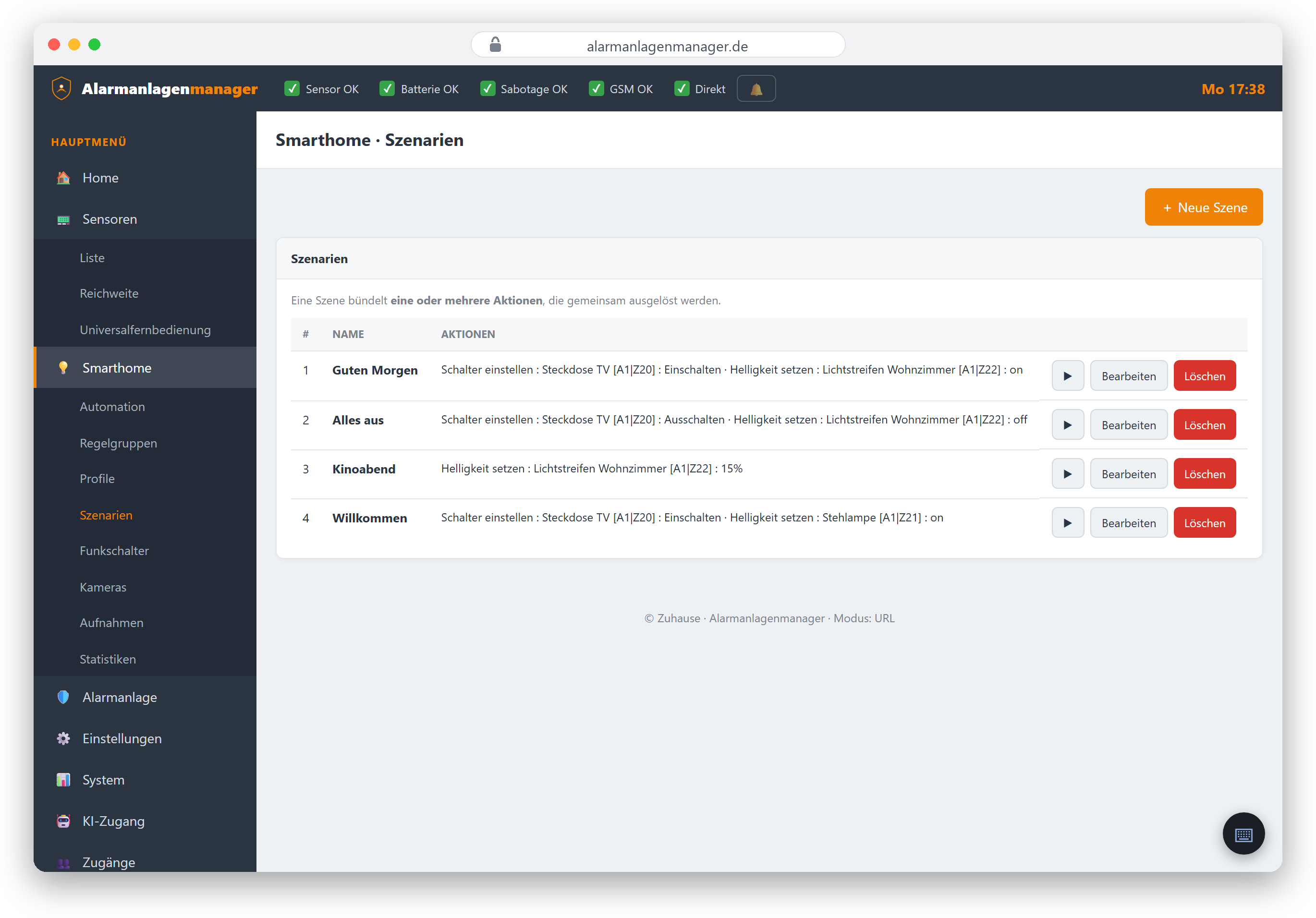
Creating a scene
- Open Smarthome → Scenes and pick a free slot.
- Assign a name ("Movie night", "Everything off", "Holiday").
- Add actions – the same selection as for rule actions: switch, dim, colour, shutter position, change mode.
- Save.
Applying a scene
- In the browser: the "Apply" button on the scene.
- In a rule: as a THEN action – e.g. When mode → Armed, apply "Everything off".
- By voice: "Activate the Movie night scene" (Alexa or ChatGPT/Claude, with the "Switch devices" permission).
Good to know
- A scene containing no actions is stored but does nothing when applied – the interface marks such scenes.
- On VESTA panels the firmware stores scenes internally in the same table as the automation rules – this changes nothing for you but explains why the number of slots can be linked to the rules.
- Scenes are subject to permission management like everything else: creating and editing requires "Edit automations", applying requires "Switch devices".