
Automation – creating rules
The principle
Under Smarthome → Automation you create rules following the pattern IF → THEN: If the hallway door contact opens, turn on the hallway light for 60 seconds. The Alarmanlagenmanager translates your input into the panel's rule syntax – you never have to see its internal notation. The rule then runs inside the panel itself, i.e. even when neither browser nor server are connected.
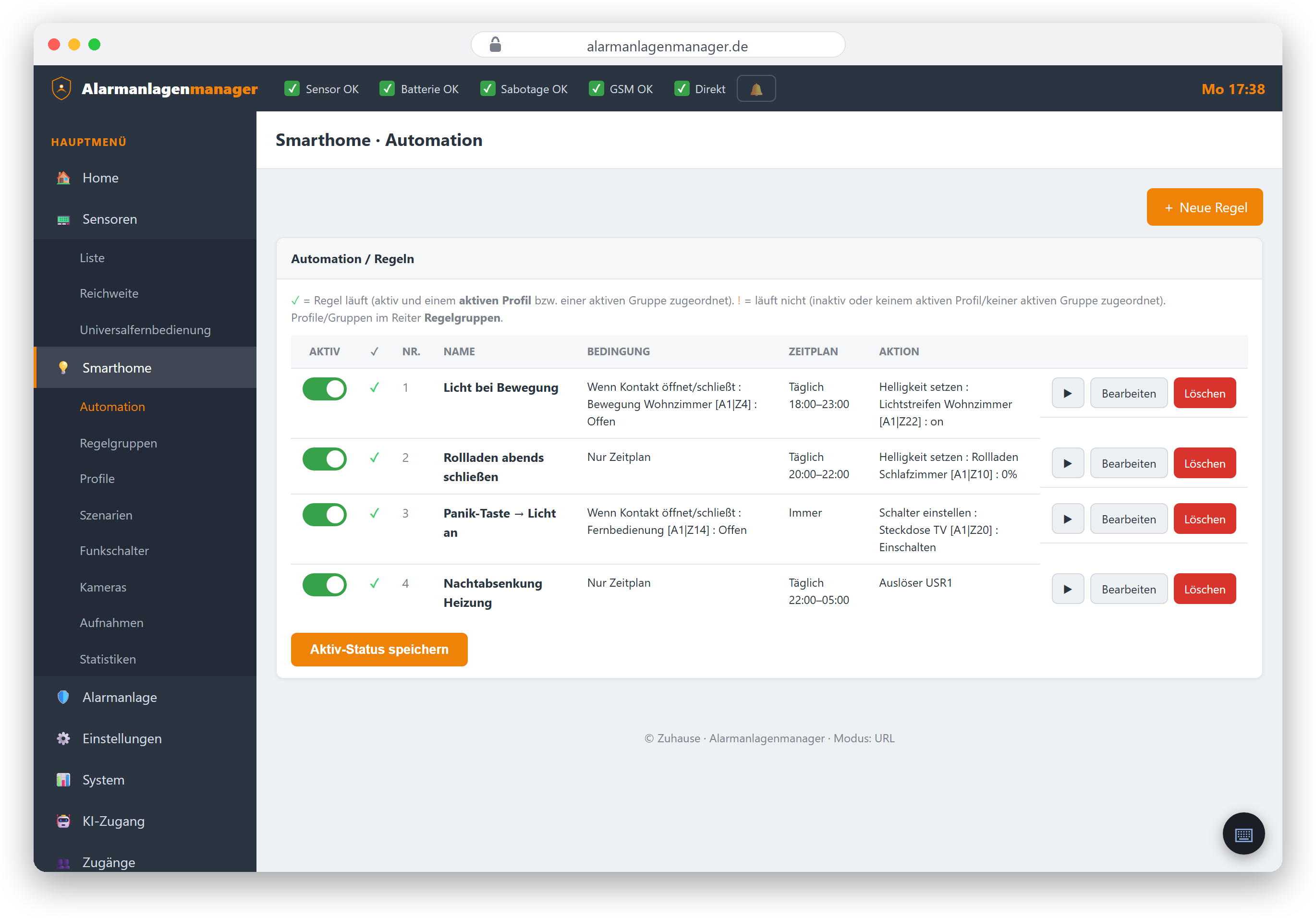
Creating a rule
- Open Smarthome → Automation, pick a free slot or New rule.
- IF – choose the condition:
- a detector triggers / opens / closes (e.g. door contact, motion detector),
- a mode change (armed, disarmed, home),
- a schedule (time of day, weekdays) – alone or on top of the condition,
- depending on the panel, further triggers (temperature thresholds, brightness/daylight and more).
- THEN – the action(s):
- switch a device (on/off, also for a duration – "on for 60 seconds"),
- dimming, colour, shutter position,
- change mode, apply a scene,
- depending on the panel, further actions.
- Assign a name and save.
Before saving, the editor shows in plain language what the rule will do – read that sentence once and surprises are ruled out.
Important on Lupus: rule groups and profiles
On Lupus panels a rule runs only if it is assigned to a rule group and that group is part of an active profile. The rule editor helps with this; management lives under Smarthome → Rule groups and Profiles. Details in the chapter Rule groups and profiles. VESTA panels don't have this concept – a saved rule is immediately in effect there (as long as it is set active).
Special case on VESTA: the first retrieval
If the view says "The automations are not yet known", the panel has never reported its rules to us – on VESTA that happens only with the first save (or via a stored reachable address). Saving one rule once is enough; see Adding a VESTA panel.
Managing rules
- Active/inactive – a rule can be switched off without deleting it.
- Edit – change condition, action, name at any time.
- Delete – frees the rule slot again.
Note that the panel limits the number of rule slots (varies by model).
Note on rule names (VESTA): The characters
< > ' "are rejected by the panel in rule names – the Alarmanlagenmanager catches this before saving with a clear message. Umlauts and other punctuation are fine.
Creating rules via AI
The most convenient way for many: just say it.
"Create a rule: when the ground-floor hallway door contact or the basement hallway contact opens, turn the hallway light on for 50 seconds."
A connected assistant (ChatGPT, Claude) turns this into an intent, the Alarmanlagenmanager builds the rule syntax, and before saving the assistant shows you the finished rule in plain language for confirmation. This requires the "Edit automations" permission – see ChatGPT and Claude.
Practical examples
| Goal | IF | THEN |
|---|---|---|
| Light on arrival | Front door contact opens | Hallway light on for 60 s |
| Everything off when leaving | Mode changes to Armed | Socket group off |
| Shutters in the evening | Schedule 21:30, daily | Ground-floor shutters down |
| Frost warning | Temperature < 5 °C | Thermostat on |
| Presence simulation | Schedule + random (model-dependent) | Living room light on/off |