
Cockpit
What the Cockpit shows
After signing in you land in the Cockpit: the overview of all panels your account can access. Each panel appears with
- its name (and, for administrators and installers, additionally the customer or company it belongs to),
- its type (e.g. XT2, VESTA),
- its connection state – is the system currently reachable, and via which route?
- its arming state and pending faults, once known.
Clicking a panel opens its panel view. From every panel view, the menu item ⟵ Cockpit (at the bottom, under "Device connection") leads back here.
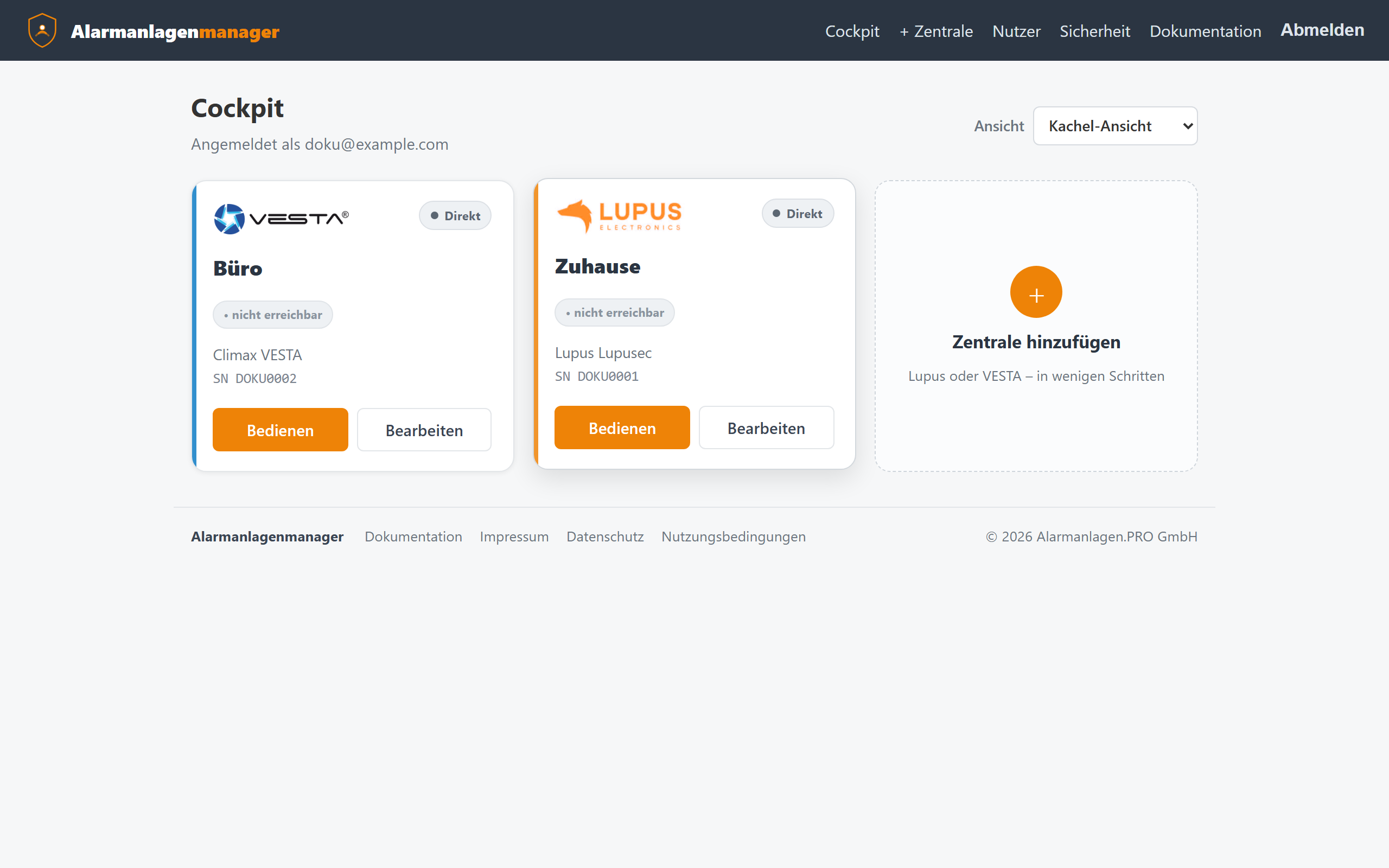
Tile and row view
At the top right you switch between two layouts:
- Tiles – one card per panel; clear with few systems.
- Rows – a real table with columns; made for installers and operators with many systems. Rows are clickable, columns are sortable (click the column header), and on an active alarm the affected row blinks so it doesn't get lost in a long list.
Your browser remembers the chosen view.
The connection state in detail
| Display | Meaning |
|---|---|
| Reachable / Direct | The panel responds via its stored address. |
| P2P connected | The remote connection (Lupus P2P or VESTA tunnel) is up. |
| Connecting | The panel hasn't reported in (again) yet – normal after restarts, usually resolves within a minute. |
| Not reachable | Neither address nor remote connection currently leads to the panel – see Troubleshooting. |
Actions per panel
Via the action buttons (right-aligned in the row view) you reach, depending on permission:
- Operate – open the panel view.
- Edit – change name, address, credentials, operating mode (VESTA); the panel can also be removed here.
Only main users, installers and administrators may add and edit panels – a restricted user doesn't see those buttons.
Camera images in the Cockpit
Panels with cameras can show their current images as tiles in the Cockpit. Whether someone sees camera images is governed by the dedicated permission "View cameras" – and for installers additionally by an operator approval (privacy; details in the Cameras chapter).
Header bar
At the top of the Cockpit you find:
- + Panel – add a new system (Lupus / VESTA),
- Users – the access and permission management (main users only),
- Management – for installers and administrators: user and system management,
- Security – password, username and two-factor sign-in.