
Switching and controlling devices
Wireless switches
Under Smarthome → Switches you find all switchable devices of your system: wireless sockets, relays, dimmers, light bulbs, shutter relays and thermostats.
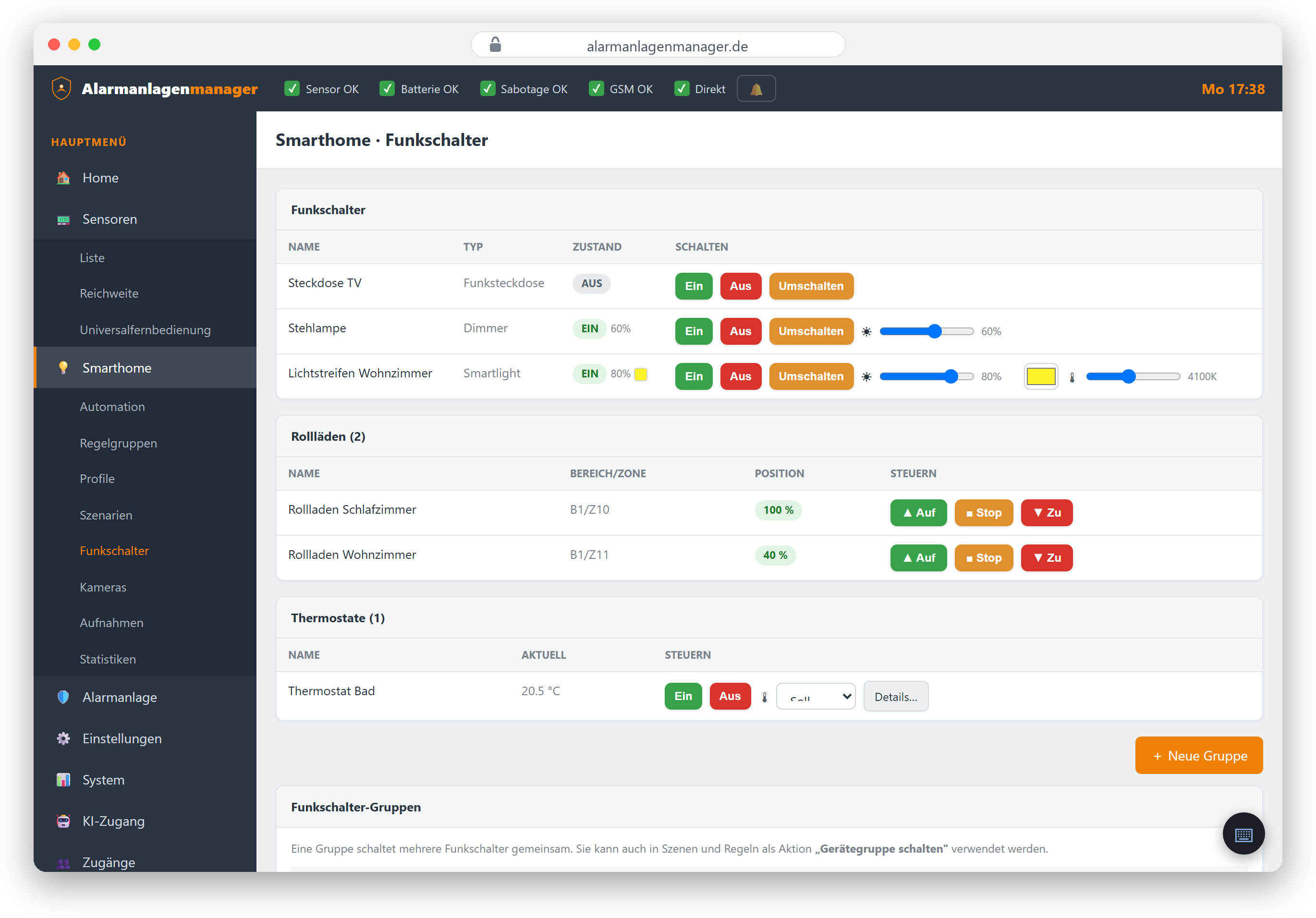
On/off and dimming
- On / Off / Toggle works on every switching device.
- Dimmers and bulbs additionally have a brightness slider (0–100%).
- Colour bulbs offer colour selection and – depending on the bulb – the white tone (colour temperature). The Alarmanlagenmanager derives what a bulb can do from the panel's data and shows only the matching controls.
Shutters
Shutter relays support Up, Down and Stop; where the panel supports it, a position in percent can be set (0 = closed, 100 = open).
Thermostats
For radiator thermostats you set the target temperature and switch them on or off. Note: battery-powered thermostats sleep in between – a new setpoint arrives at the device's next wake-up, which may take a few minutes.
Permission required: Switching requires the "Switch devices" permission on this panel.
Cameras, recordings, statistics
- Smarthome → Cameras – live views and snapshots, see Cameras.
- Smarthome → Recordings – event images and clips stored by the panel.
- Smarthome → Statistics – measurement histories of your sensors (temperature, humidity and more) as charts.
Switching via scene, rule or voice
Group recurring switching sequences into scenes; time- or event-driven switching is handled by automation. And everything also works on request via ChatGPT/Claude or Alexa.