
Sensors
The sensor list
Under Sensors → List you find all devices of your system: door and window contacts, motion detectors, smoke detectors, water detectors, keypads, sirens, power sockets and more.
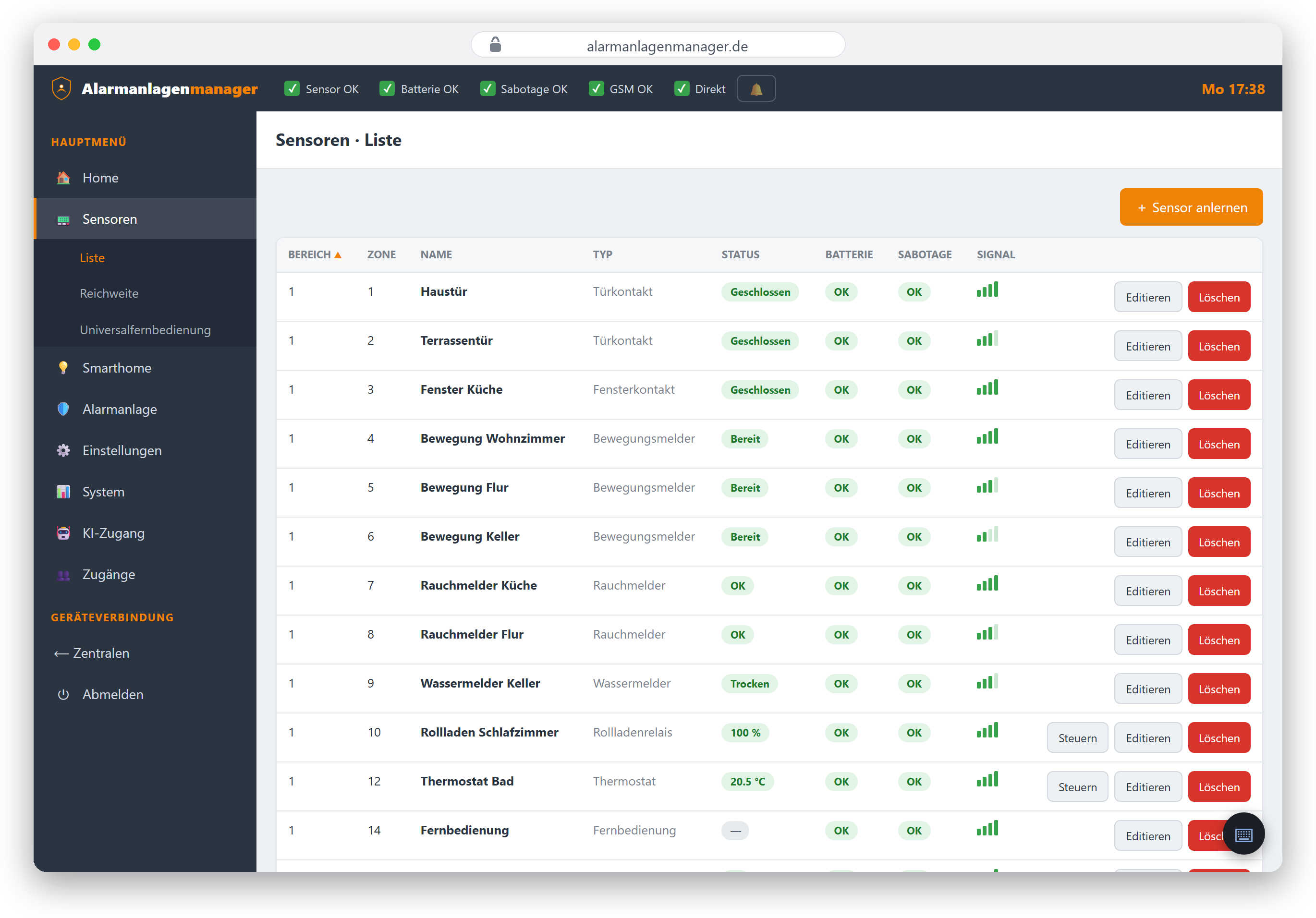
For every device you see:
- Name – freely assigned, e.g. "Front door contact",
- Area and zone – the logical address in the panel,
- Type – what kind of detector it is,
- State – open/closed, triggered, readings (temperature, humidity) depending on the device,
- Warnings – low battery, tamper, no radio contact.
Editing detectors
Clicking a device opens its settings: name, area and zone as well as the type-specific options (e.g. alarm behaviour per mode). What is adjustable here is dictated by the panel – the Alarmanlagenmanager shows the fields of your device type.
Permission required: Only someone with the "Pair detectors" permission on this panel may edit and pair detectors.
You add new detectors via learning mode – chapter Pairing detectors.
Range
Sensors → Range starts the panel's walk test: detectors you trigger report in with their radio signal strength. This helps you find spots with weak reception before they cause trouble in daily use.
When a device is unreachable
If the panel reports a communication error for a device (no radio contact), the interface tells you directly – also when you try to switch the device: instead of running into a long timeout, you immediately get a hint to check power and reception.
Universal remote control (Lupus only)
Lupus panels can integrate infrared universal remote controls (UPIC) that control air conditioners or TVs, for example. Under Sensors → Universal remote control you trigger their stored IR functions. VESTA panels don't offer this feature; the menu item is absent there.