
Log and history
The log
Under System → Log the panel keeps its records:
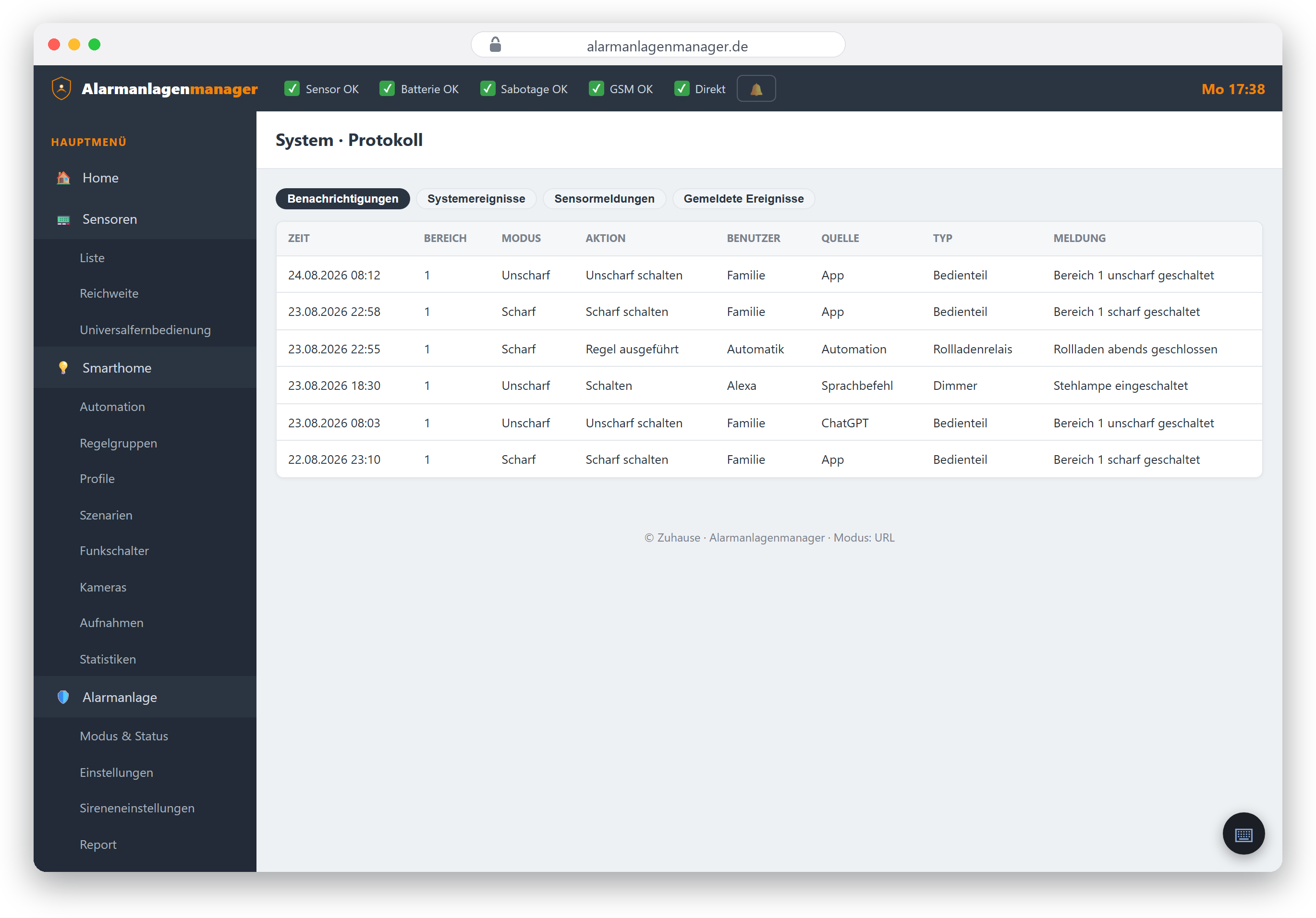
- Events – alarms, triggered detectors, opened contacts, mode changes.
- Operations – who armed/disarmed or operated a device and when (operations triggered via AI assistants and Alexa appear here too – the system doesn't care where the command came from).
- System – restarts, connection messages, faults such as power or radio failure.
The entries come straight from the panel; the Alarmanlagenmanager displays them but never changes them.
The history in the Home view
The Home view shows the most recent events as a short list – for the quick glance ("Who disarmed this morning?"). For the full history switch to the log.
Measurement histories
Smarthome → Statistics charts your sensors' readings: temperature, humidity and other quantities, depending on your system's equipment. On VESTA panels the Alarmanlagenmanager queries the histories per device and merges them – with many devices the first build of the view can take a moment.
Reporting: messages to the outside
Independently of the log, the panel can actively report events – by email, to a monitoring station (Contact ID) or other channels. You configure this under Alarm system → Reporting; the credentials for email and SMS are maintained under Settings.